
Math Grids (All Operations) Math Centers Math Tiles
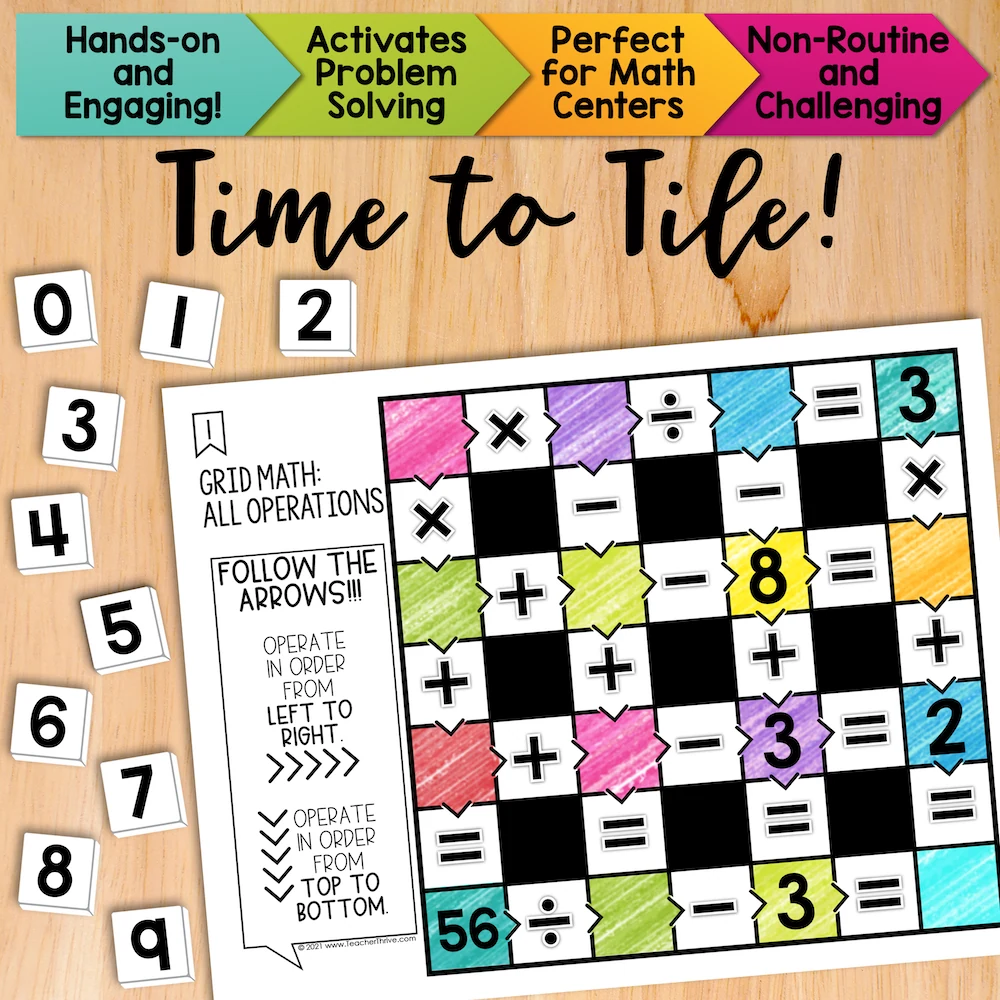
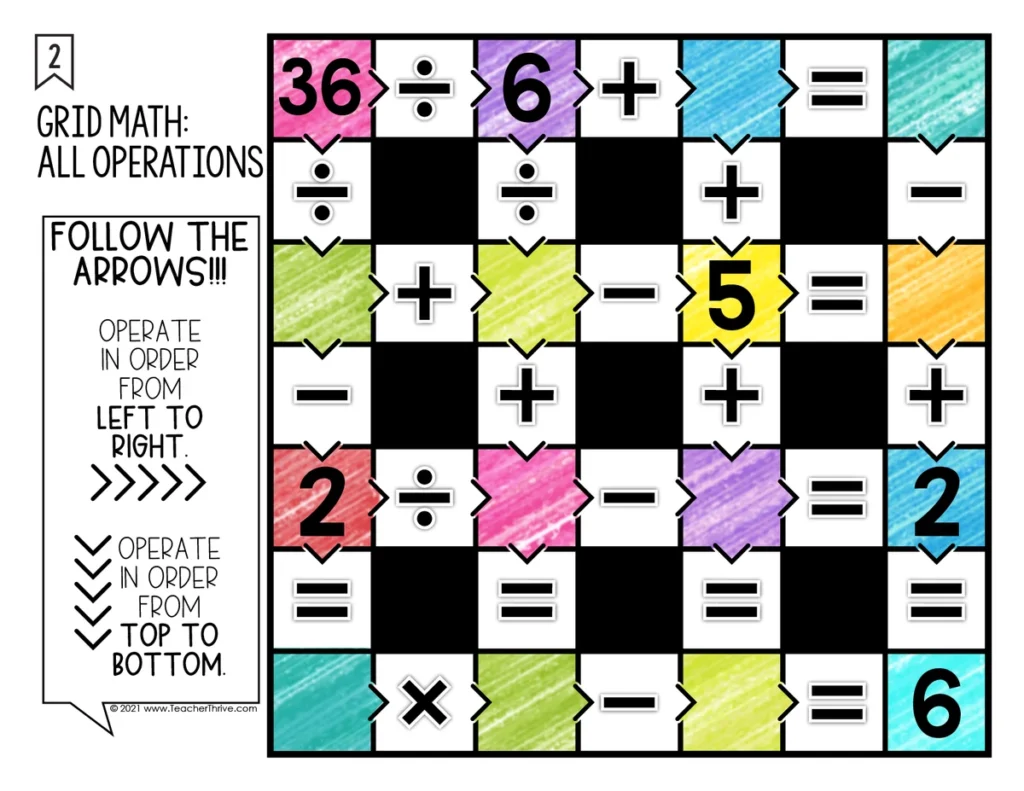
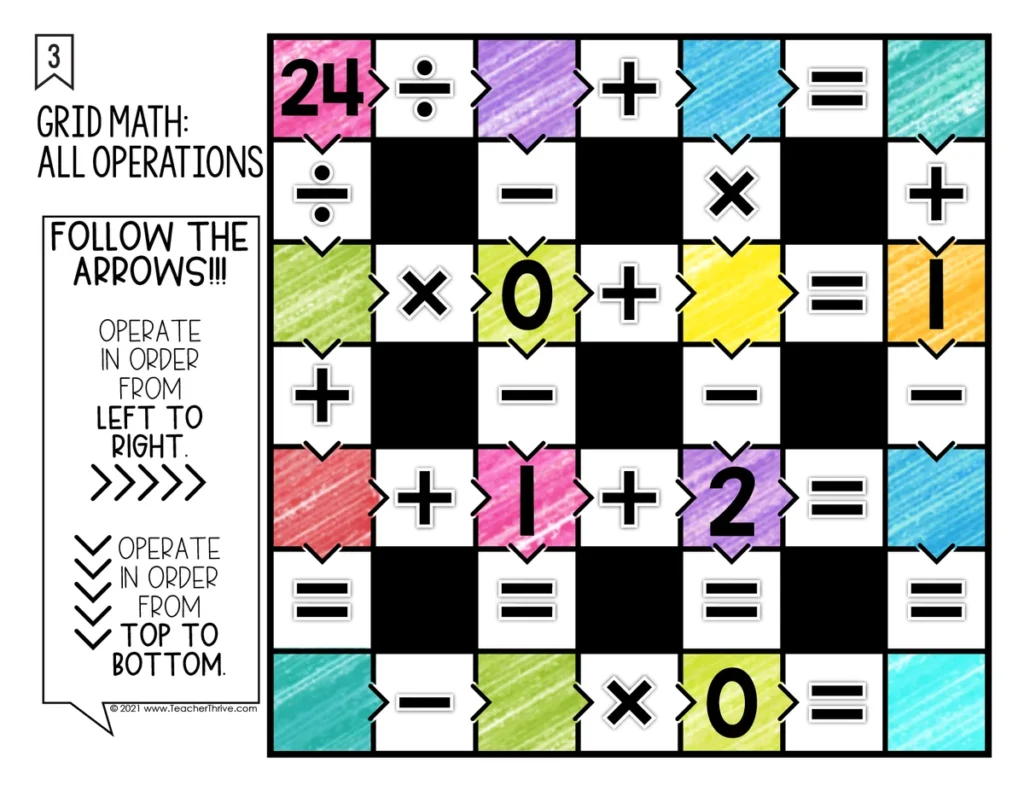
5.0 (20 reviews)Review addition, subtraction, multiplication, and division in a grid of eight equations. Students follow arrows across and down, placing digits 0–9 so every equation works.
- Grade
- Grade 4, Grade 5, Grade 6
- Subject
- Math
- Pages
- 77
- Answer key
- Included
- Teaching duration
- 1 Month
- Digital download
Description
Review addition, subtraction, multiplication, and division in a grid of eight equations. Students follow arrows across and down, placing digits 0–9 so every equation works.
Why use Math Tiles?
- Make problem solving hands-on by letting students move number tiles and test their ideas.
- Build flexible thinking as students follow different clues and try more than one strategy.
- Practice perseverance and build confidence by revising a choice when the first idea doesn’t fit.
- Give students meaningful independent practice or have partners explain and compare their thinking.
- Save paper by reusing printed cards and having students record their answers on a separate sheet.
What’s included
- 30 printable math grid puzzle cards
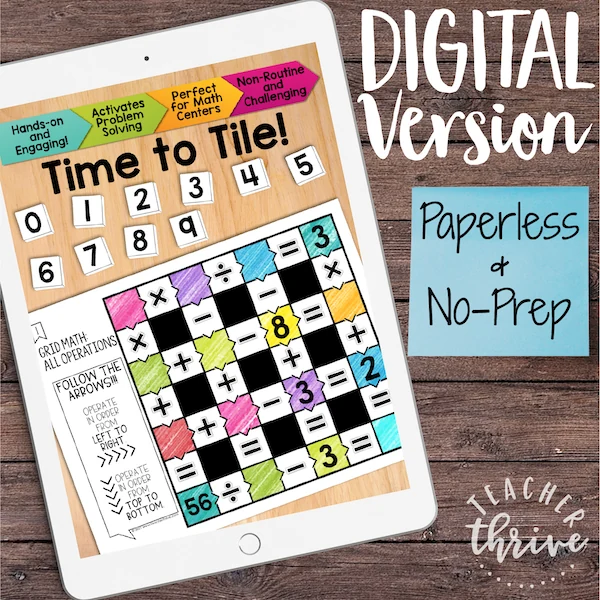
- Google Slides version with movable number tiles
- Student recording sheet
- Answer keys
- Teacher setup tips
- Printable 0–9 number tiles
How to use it
Set this out as a mixed review center and have partners compare which clues they used to start the grid. For print, cut out the included number tiles or use a set you already have. In Google Slides, students move the tiles in edit mode.
More Time to Tile puzzles
Keep the same puzzle routine with Math Grids (Add and Subtract) Math Tiles or All Operations Math Tiles.
🧮 Browse all Math Tiles Centers
Please read: This is a nonrefundable digital download. Please read the description carefully and examine the preview file before purchasing.
© Copyright 2018 M. Tallman. All rights reserved. Permission is granted to copy pages specifically designed for student or teacher use by the original purchaser or licensee. This is intended to be used by one teacher unless additional licenses have been purchased. The reproduction of any other part of this product is strictly prohibited. Copying any part of this product and placing it on the Internet in any form (even a personal/classroom website) is strictly forbidden. Doing so makes it possible for an Internet search to make the document available on the Internet, free of charge, and is a violation of the Digital Millennium Copyright Act (DMCA).
Reviews
Showing 331–335 of 375 reviews
I think this could be slightly more challenging but overall fits the need
This resource has a lot of potential but I found it a little difficult for my grade 4 students. Thanks.
Do not buy this resource if you are looking for an easy, pre-made system. I had to create copies of every single lesson (10 each) in every single unit (20 total). This took me more than 2 hours JUST TO MAKE COPIES AND PUT THEM IN MY DRIVE. It was not clear that this was what you had to in order to use this format.
Once set up, this resource worked really well! I do like the google forms and they look very professional! I have used these in my classroom and the students do seem to enjoy them.
This started a bridge of seeing how language is formed.
The resource was really amazing; the material itself was on target. It is VERY helpful to have it formatted electronically. BUT...there is no question for "What is your name?". So, a time stamp (wonderfully!) appears on the spreadsheet, but I do not know who submitted the work. Maybe I can fix this without going in and adding a question to each set and a column to every spreadsheet. I would love a solution that won't take me hours. I have already uploaded levels 3-5 for the entire year on Schoology.
Questions & Answers (0)
Have a question about this resource? Log in to ask a question.
No questions yet.
