
"Book Bits": a Fun Pre-reading Activity for Tuck Everlasting
5.0 (428 reviews)“Book Bits” are carefully selected snippets of information from the book. There are 47 “Book Bits”, however, you will only need one for each student; you can pick and choose which ones you like the most.1. Give each student a “Book Bit”. The students will read their individual “Book Bits” and be al
- Grade
- Grade 5
- Subject
- Reading
- Pages
- 11
- Answer key
- N/A
- Teaching duration
- 3 Days
- Digital download
Description
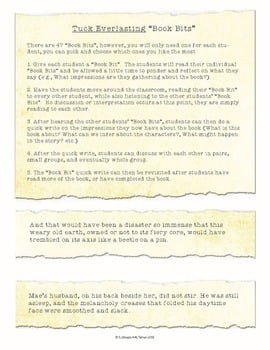
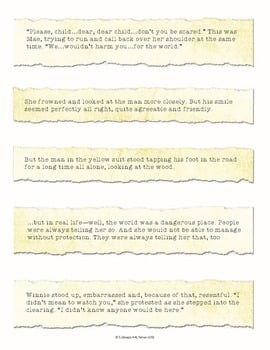
“Book Bits” are carefully selected snippets of information from the book. There are 47 “Book Bits”, however, you will only need one for each student; you can pick and choose which ones you like the most.
1. Give each student a “Book Bit”. The students will read their individual “Book Bits” and be allowed a little time to ponder and reflect on what they say (e.g., What impressions are they gathering about the book?).
2. Have the students move around the classroom, reading their “Book Bit” to every other student, while also listening to the other students’ “Book Bits”. No discussion or interpretation occurs at this point; they are simply reading to each other.
3. After hearing the other students’ “Book Bits”, students can then do a quick write on the impressions they now have about the book (What is this book about? What can we infer about the characters?, What might happen in the story? etc.)
4. After the quick write, students can discuss with each other in pairs, small groups, and eventually whole group.
5. The “Book Bit” quick write can then be revisited after students have read more of the book, or have completed the book.
Depth and Complexity Companion for Tuck Everlasting
Get all the latest Teacher Thrive news!
➜FOLLOW me on Teachers Pay Teachers!
➜FOLLOW me on TeacherThrive.com!
Please read: This is a nonrefundable digital download. Please read the description carefully and examine the preview file before purchasing.
© Copyright 2018 M. Tallman. All rights reserved. Permission is granted to copy pages specifically designed for student or teacher use by the original purchaser or licensee. This is intended to be used by one teacher unless additional licenses have been purchased. The reproduction of any other part of this product is strictly prohibited. Copying any part of this product and placing it on the Internet in any form (even a personal/classroom website) is strictly forbidden. Doing so makes it possible for an Internet search to make the document available on the Internet, free of charge, and is a violation of the Digital Millennium Copyright Act (DMCA).
Reviews
Showing 21–25 of 419 reviews
I needed something to introduce one of my favorite books, and this activity was so out of the box for my students. The book bits were some great sentences spread out throughout the book, and the students had a great time discussing what they meant. I took it a step further, and I had them illustrate their sentence on paper. We had a small gallery going, and the pictures turned out great!
Love love LOVE this resource! My students had so much fun discussing and commenting on each other's quotes. I took another educator's idea from the comment suggestions and offered a prize to any students who held on to their quote and spotted it in the book during our unit. It kept some of my more reluctant students engaged in the novel and it got kids so excited! This was a good way to reward not only close reading, but responsible behavior/organization by holding on to the quote for long periods of time.
My students enjoyed using this resource.
These were such a hit!! They sparked great conversations in the small groups! One of my favorite TpT finds!
Great way to introduce story!
Questions & Answers (4)
Have a question about this resource? Log in to ask a question.
Hi there- When I try to print the PDF, an error message comes out of my copier every time. Is there a trick to printing this?
Hi Lindsay! Some PDFs with a lot of graphics may look fine on your screen, but may not print out correctly.
Open the PDF file with Adobe Acrobat Reader
Click “Print”
Click on “Advanced”
Check the “Print as Image” box
Print the document
Do you happen to have a listing to show the chapters each of the 'books bit' are from?
Thanks for reaching out. Unfortunately, we do not.
I love Tuck Everlasting! Would it work at grade 3/4 level?
Hi Jude! You might want to download the preview to check. To be honest, I think it might be a bit challenging. This book is typically read in 5th grade, so that is the intended audience.
When I download this and the Depth and Complexity for Tuck Everlasting, it has only one page.
Are you opening the file with the latest version of Adobe reader? Also make sure that you're not downloading the preview and that you're actually downloading the file you purchased.
