
"Book Bits": a Fun Pre-reading Activity for The Giver
5.0 (136 reviews)“Book Bits” are carefully selected snippets of information from the book. There are 44 “Book Bits”, however, you will only need one for each student; you can pick and choose which ones you like the most.1. Give each student a “Book Bit”. The students will read their individual “Book Bits” and be al
- Grade
- Grade 7
- Subject
- Reading
- Pages
- 11
- Answer key
- N/A
- Teaching duration
- 3 Days
- Digital download
Description
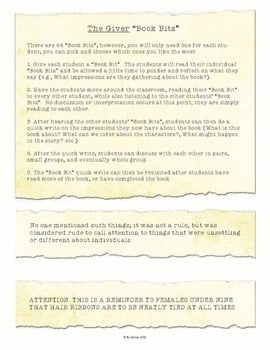
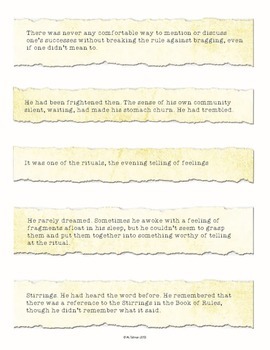
“Book Bits” are carefully selected snippets of information from the book. There are 44 “Book Bits”, however, you will only need one for each student; you can pick and choose which ones you like the most.
1. Give each student a “Book Bit”. The students will read their individual “Book Bits” and be allowed a little time to ponder and reflect on what they say (e.g., What impressions are they gathering about the book?).
2. Have the students move around the classroom, reading their “Book Bit” to every other student, while also listening to the other students’ “Book Bits”. No discussion or interpretation occurs at this point; they are simply reading to each other.
3. After hearing the other students’ “Book Bits”, students can then do a quick write on the impressions they now have about the book (What is this book about? What can we infer about the characters?, What might happen in the story? etc.)
4. After the quick write, students can discuss with each other in pairs, small groups, and eventually whole group.
5. The “Book Bit” quick write can then be revisited after students have read more of the book, or have completed the book.
Depth and Complexity Companion for The Giver
Get all the latest Teacher Thrive news!
➜FOLLOW me on Teachers Pay Teachers!
➜FOLLOW me on TeacherThrive.com!
Please read: This is a nonrefundable digital download. Please read the description carefully and examine the preview file before purchasing.
© Copyright 2018 M. Tallman. All rights reserved. Permission is granted to copy pages specifically designed for student or teacher use by the original purchaser or licensee. This is intended to be used by one teacher unless additional licenses have been purchased. The reproduction of any other part of this product is strictly prohibited. Copying any part of this product and placing it on the Internet in any form (even a personal/classroom website) is strictly forbidden. Doing so makes it possible for an Internet search to make the document available on the Internet, free of charge, and is a violation of the Digital Millennium Copyright Act (DMCA).
Reviews
Showing 71–75 of 5,412 reviews
Great Spiral Review
Great set up for spiral review. I wish I could edit because my scope and sequence is not the same.
It worked in a pinch
This is a quick way to introduce the topic. I did the task cards over two weeks, to keep reinforcing it over a longer period of time, and it worked out great!
Great for testing review
I've started to use these during the third quarter for testing practice. Some of the skills are skills that we haven't gotten to yet, so I can see it being a bit difficult to assign at the beginning of the year, such as decimals, geometry, and some skills with fractions.
Helpful math review.
This is a great math review. However, I am looking for a math review that follows along with the Eureka Squared math curriculum.
Great for Supplementing
The curriculum my school uses just expects students to know grammar concepts with just one explanation so supplementing is a must. This was perfect to teach students about helping verbs and practice before giving them the worksheet that goes with out curriculum.
Questions & Answers (2)
Have a question about this resource? Log in to ask a question.
Has anyone used this in a hybrid / concurrent setting? I was curious how to make this work with kids in person and online. This looks amazing and I really want to try it!
Hi Brooke! I have heard much about teachers using this in a hybrid setting, but I have seen several teachers using them in a distance learning setting, so I suppose it would be just as well in a hybrid setting. Please let us know if you use it in your setting and how it works!
Has anyone had trouble printing this? I have tried to print the file 5 times today and it simply prints one sheet of coding-- just gibberish. I need this resource asap and have to get it printed to prep the lesson.
Try the steps below.
Open the PDF file with Adobe Acrobat Reader
Click “Print”
Click on “Advanced”
Check the “Print as Image” box
Print the document
If you continue to have problems, please contact TpT so they can troubleshoot this with you directly. https://www.teacherspayteachers.com/Contact
